
Our Latest Articles

Does Website Design Affect Local Ranking? 2026 Guide
Table of Contents
- Does Website Design Affect Local Ranking? The Short Answer
- Mobile-Friendly Website for Local Business: The Baseline Requirement
- Website Speed and Local Search Rankings: What the Data Shows
- Local Landing Page Optimization: Design That Converts Nearby Searchers
- Website Redesign SEO Checklist: Safeguards Before You Launch
- How to Audit Your Website for Local Ranking Problems
- Measuring Whether Design Changes Actually Moved Your Local Ranking
- Frequently Asked Questions
Last Updated: October 7, 2026
Does Website Design Affect Local Ranking? The Short Answer
Yes, website design affects local ranking, but not in the way most business owners assume. Google doesn't score your color palette or your font choices. It scores what your design lets Google's crawlers and your customers do: load fast, work on a phone, and find clear business information. At ColdSmoke GMB, we help local businesses improve their online presence through expert digital marketing strategies.
How Google's Local Pack Differs From Organic Results
The local pack is the map block with three businesses that appears above regular search results. It runs on a different ranking system than the ten blue links below it.
Google's local algorithm weighs three things: relevance, distance, and prominence, as documented in Google's guidance on improving local rankings. Your website feeds two of those three.
- Relevance: Does your site and Google Business Profile match what the searcher wants?
- Distance: How close is your business to the searcher? Design can't change this.
- Prominence: How well-known and trusted is your business online? Your site drives this.
So a slow, broken site won't stop you from appearing in the local pack entirely.
Mobile-Friendly Website for Local Business: The Baseline Requirement
A mobile-friendly website for local business is no longer optional, and it hasn't been for years. Google uses mobile-first indexing, meaning it crawls and ranks the phone version of your site first (Mobile-first Indexing Best Practices | Google Search Central | Documentation).
The practical checklist we run for every client:
- Text is readable without pinching or zooming
- Buttons and phone links are large enough to tap with a thumb
- Your phone number is clickable in the header
- Forms work without horizontal scrolling
- Pages load without layout shifts that push content around
A common mistake is testing on a fast office Wi-Fi connection. Your customers are on cell service in a basement or a parking garage. Test there too.
Website Speed and Local Search Rankings: What the Data Shows
Website speed and local search rankings connect through Google's Core Web Vitals, a set of real-world performance signals. Google has confirmed page experience signals matter, and its PageSpeed Insights tool shows you exactly where you stand.
The three metrics that matter most:
- Largest Contentful Paint: how fast the main content appears
- Interaction to Next Paint: how quickly the page responds to a tap
- Cumulative Layout Shift: how much the page jumps around while loading
Most local business sites fail on the first one. The usual culprits are oversized hero images, too many tracking scripts, and cheap shared hosting. Compressing images alone often fixes the biggest problem.
Local Landing Page Optimization: Design That Converts Nearby Searchers
Local landing page optimization is the practice of building pages that match what nearby searchers actually type. A generic "Services" page won't rank for "emergency drain cleaning" in a specific suburb. A dedicated page will.
Design decisions that help:
- Put the city or service area in the page headline, not buried in the footer
- Show your address, phone, and hours in plain text, not inside an image
- Add photos of real jobs, real trucks, real staff
- Link to your Google Business Profile and review page
- Keep one clear call to action per page
Duplicate content is the trap here. If you copy the same page and swap the city name, Google notices. Write genuinely different content for each area you serve.
What to Put Above the Fold on a Service-Area Page
Above the fold means everything visible before the user scrolls. On a service-area page, that space has one job: confirm the visitor is in the right place and give them a way to call.
- Business name and service category
- The city or area you serve
- A clickable phone number
- A short line about response time or availability
- One photo that proves you work in that area
Skip the rotating banner carousel. It slows the page and most visitors never see past the first slide.
Website Redesign SEO Checklist: Safeguards Before You Launch
A website redesign SEO checklist exists because redesigns are where local rankings go to die. We've seen businesses lose their map position for weeks after a launch that "looked fine."
Use this before you flip the switch:
- Save a full crawl of your current site (URLs, titles, meta descriptions)
- Map every old URL to its new URL with a 301 redirect
- Keep your NAP (name, address, phone) identical everywhere
- Preserve or improve page speed, don't regress it
- Re-check structured data and Google Business Profile links
How to Audit Your Website for Local Ranking Problems
A local ranking audit is a structured check of the design and technical elements that feed Google's prominence score and your conversion rate. You don't need paid tools to start.
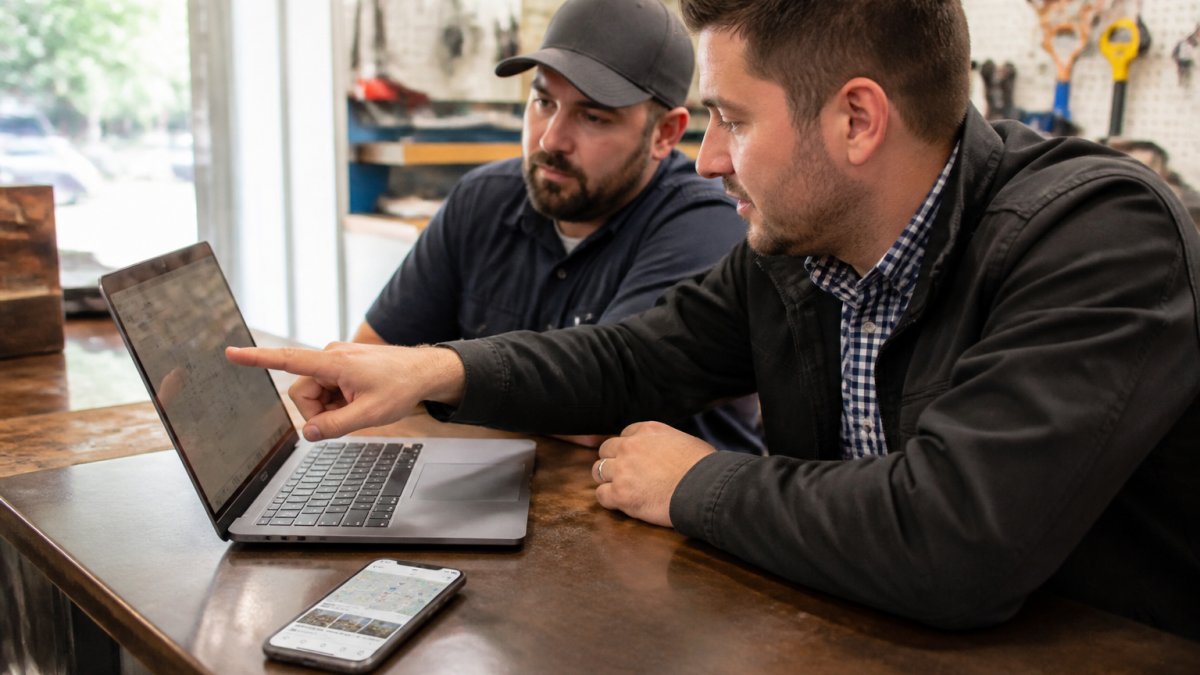
Run the audit in this order, because fixing a slow site before you fix your content wastes effort.
Step 1: Check Mobile Rendering and Tap Targets
Open your site on your own phone using cell data, not Wi-Fi. Tap every button. Try to call from the page. Fill out the contact form with one thumb. If anything frustrates you, it frustrates customers, and Google's mobile-first crawler sees the same problems.
Specific things to verify:
- Your phone number is a clickable
tel:link in the header, not an image of a number - Tap targets are at least 48 pixels tall with spacing between them
- Body text renders at 16 pixels or larger without pinch-zooming
- No horizontal scroll on any page
- The address and hours are plain text, not inside a graphic
This step affects both local pack prominence and organic mobile rankings, because mobile-first indexing judges the phone version of your site first.
Step 2: Test Speed and Core Web Vitals
Run your homepage and your top service page through Google's PageSpeed Insights. Focus on the three Core Web Vitals:
- Largest Contentful Paint (LCP): target under 2.5 seconds
- Interaction to Next Paint (INP): target under 200 milliseconds
- Cumulative Layout Shift (CLS): target under 0.1
Most local business sites fail LCP first. The usual culprits are oversized hero images, too many third-party tracking scripts, and cheap shared hosting. Compressing and properly sizing images alone often fixes the largest problem. Speed affects organic rankings and crawl frequency more directly than it affects the local pack, but it strongly affects conversion once a searcher lands.
Step 3: Verify NAP Consistency and Structured Data
Check that your business name, address, and phone number match exactly, character for character, across your site footer, your contact page, your Google Business Profile, and your main directory listings.
Then confirm your LocalBusiness structured data is present and accurate. Use Google's Rich Results Test to validate it. The schema should include your name, address, phone, business hours, and geo coordinates.
Step 4: Audit Service-Area and Location Pages
This is the step most audits skip, and it is where local businesses either win or create a liability.
For each location or service-area page, check:
- The city or service area appears in the page headline, not buried in the footer
- The page has genuinely distinct content, real job photos, local landmarks, area-specific service notes
- The page is not a copy of another page with the city name swapped, which creates thin or doorway pages Google can filter
- One clear call to action per page, above the fold
- Internal links connect the location page back to your main services and contact page
A useful rule: if you removed the city name, would the page still be worth reading? If not, it is a doorway page in Google's eyes, and it can drag down the whole site's quality signals.
Step 5: Confirm Crawlability and Redirect Health
Check your robots.txt and make sure you are not accidentally blocking CSS, JavaScript, or key service pages. Pull your sitemap and confirm every important URL is listed. If you have redesigned recently, crawl the site and check for 404s on URLs that used to rank.
Audit Item | What to Check | Which System It Feeds |
|---|---|---|
Mobile rendering | Buttons, forms, text size on a real phone | Organic (mobile-first) + conversions |
Page speed | Core Web Vitals in PageSpeed Insights | Organic crawl + conversions |
NAP consistency | Name, address, phone match everywhere | Local pack relevance and prominence |
Structured data | LocalBusiness schema present and accurate | Local pack relevance |
Location pages | Distinct content, no doorway duplication | Local pack relevance + organic |
Redirects | No broken URLs after a redesign | Organic (preserves earned rankings) |
Step 6: Measure Before You Change Anything
Before you touch a single element, record your baseline. Pull your local pack position for your top five search terms, your calls and direction requests from your Google Business Profile, organic traffic to your service-area pages, mobile bounce rate, and form submissions.
Give any change at least three to four weeks before you judge it. Local rankings move slowly, and a single bad week is noise, not a trend.
Measuring Whether Design Changes Actually Moved Your Local Ranking
Measurement is the step almost everyone skips. Without it, you can't tell whether a design change helped, hurt, or did nothing.
Track these before and after any change:
- Local pack position for your top five search terms
- Calls and direction requests from your Google Business Profile
- Organic traffic to your service-area pages
- Bounce rate on mobile
- Form submissions and booked jobs
Give any change at least three to four weeks before you judge it. Local rankings move slowly, and a single bad week is noise, not a trend.
Design is a local ranking lever, not a rebuild mandate. Most local businesses don't need a new website.
Frequently Asked Questions
Does website design affect local search rankings?
Yes, though indirectly. Google's local pack ranking leans heavily on relevance, distance, and prominence signals from your Google Business Profile. Website design supports those signals by making your site fast, mobile-friendly, and easy to crawl. A clean site with consistent NAP details, working structured data, and location-specific pages gives Google more confidence to surface your business. Design alone will not outrank a stronger competitor, but a slow or broken site can hold back an otherwise well-optimized local presence.
Can a website redesign hurt local rankings?
It can if you skip safeguards. Common causes of ranking drops after a redesign include changed URLs without redirects, removed location pages, lost structured data, and slower load times from heavy new themes. Before launching, map every old URL to its new equivalent with 301 redirects, keep your NAP details identical across pages, and re-test page speed on mobile. Run a crawl of the staging site and compare it to the live version so nothing gets dropped by accident.
Does website speed affect local search rankings?
Page speed influences both organic rankings and how searchers behave. Google uses Core Web Vitals as a ranking signal, and slower pages tend to show higher bounce rates, which reduces engagement signals. For local businesses, speed matters most on mobile, where most map and near-me searches happen. Compress images, limit third-party scripts, and use a fast hosting setup. Test with Google's PageSpeed Insights and aim to keep your largest contentful paint under 2.5 seconds on mobile.
How can I redesign my website without losing SEO rankings?
Treat the redesign as a migration, not a fresh start. Build a full URL inventory, set up 301 redirects for every changed page, and preserve your title tags, headings, and internal link structure where they already perform. Keep your location and service-area pages live throughout the process. After launch, monitor Google Search Console for coverage errors and track your local pack impressions for 30 to 60 days. If rankings dip, check for crawl errors and missing structured data first.

Helping businesses attract more customers and grow consistently, we focus on improving online visibility, strengthening local presence, and creating marketing systems that support long-term business growth.
Quick Links
Contact Us
ColdSmoke GMB
30 N GOULD ST STE R, SHERIDAN WY 82801
(307) 449-2600
Business Hours:
Mon – Fri: 9:00 AM – 6:00 PM
Sat – Sun: Closed
Legal
By submitting forms on this website, you agree to receive SMS messages from ColdSmoke Digital Solutions LLC regarding appointments, reminders, service updates, and promotional offers. Message frequency may vary. Msg & data rates may apply. Reply STOP to unsubscribe.
© 2026 ColdSmoke GMB. All Rights Reserved. ColdSmoke GMB is a brand owned and operated by ColdSmoke Digital Solutions LLC.